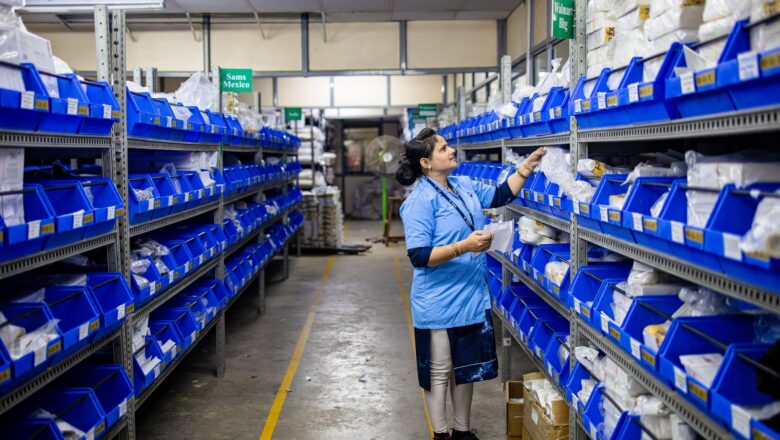

The best raw material and purchase order automation solutions streamline procurement by integrating real-time inventory tracking, supplier management, and automated PO generation. Top tools like SAP Ariba, Coupa, or Zoho Procurement use AI to optimize order quantities, reduce lead times, and minimize errors, ensuring cost efficiency and compliance. Cloud-based platforms with customizable workflows enhance scalability for businesses of any size.
Manufacturers lose an average of 15% of production time to raw-material shortages, yet most still rely on spreadsheets or manual ERP entries to trigger purchase orders. Best raw material & purchase order automation replaces guesswork with real-time stock tracking against your bill of materials (BOM) and auto-drafts POs to the correct supplier before a shortage can stall a shift. The result is fewer line stoppages, lower safety-stock levels, and procurement teams that spend time on supplier negotiations instead of chasing missing items.
At ₹4,999, a standalone raw material & purchase order automation module costs roughly half what comparable PO-automation add-ons charge inside large ERP suites (₹10,000/year). It installs in under two hours, integrates with your existing inventory and accounting systems, and starts protecting your production schedule from day one. Below is a detailed buyer’s guide that shows exactly how the software works, what features matter most, and how to set it up in your plant.

How Automated Purchase Order Software Works for Raw Materials
Automated purchase-order software for raw materials begins by pulling live stock levels from your warehouse management system (WMS) or ERP. Every time a component is issued to production, the software subtracts the quantity from the current on-hand balance and compares it against the minimum stock threshold you set for that SKU. When the balance falls below the threshold, the system immediately checks the supplier lead time stored in its database and, if the lead time is longer than the days of stock remaining, it triggers a purchase order draft.
The draft PO is pre-filled with the supplier’s name, item code, quantity, and unit price pulled from your approved vendor list. You can review and approve the PO in one click; the software then emails it to the supplier and logs the expected receipt date in your calendar. If the supplier confirms a revised delivery date, the system updates your production schedule automatically so planners know exactly when the material will arrive.
Real-time BOM alignment
Instead of monitoring each raw material individually, the software reads your bill of materials and calculates projected usage for every component in every open production order. It then subtracts projected usage from current stock to give you a forward-looking view of shortages up to eight weeks ahead. This forward visibility lets you negotiate bulk discounts on long-lead items or split orders across multiple suppliers to reduce risk.
Multi-location and multi-supplier support
If you run multiple plants or use alternate suppliers for the same SKU, the software maintains separate stock thresholds and supplier lead times for each location-supplier combination. When a shortage is detected, it automatically selects the supplier with the shortest lead time for that plant, preventing line stoppages even when central warehouses are far from the shop floor.
Key Features to Look for in PO Automation Tools
Not all PO automation tools are built for discrete manufacturing. The best raw material & purchase order automation solutions share six core capabilities that directly impact uptime and working capital.
1. Dynamic reorder points based on BOM consumption
Static reorder points ignore the fact that your demand for a component can triple when a rush order enters the system. Look for software that recalculates reorder points every time a production order is released, using actual BOM consumption rates rather than historical averages. This prevents both excess inventory and last-minute expedites.
2. Supplier lead-time database with automatic updates
Suppliers occasionally change lead times, and those changes must propagate to your reorder logic instantly. The top tools pull lead-time updates from supplier portals via API or scrape supplier websites nightly, then adjust reorder points and PO due dates without manual intervention.
3. PO approval workflows tied to spend limits
For high-value raw materials, you may want dual approvals: a planner and a finance manager. The best tools let you set per-user spend limits and route POs automatically to the next approver when the limit is exceeded. Approvers receive email alerts and can approve or reject directly from their phone.
4. Integration with your existing ERP or accounting system
If the automation tool cannot push approved POs into your ERP as a purchase requisition or directly create a PO, you will still be exporting CSV files every day. Confirm that the tool offers pre-built connectors for SAP Business One, Tally, Zoho Books, QuickBooks, or your in-house system via REST API.
5. Mobile app for plant-floor supervisors
Line supervisors need to know when a shortage is imminent so they can adjust the schedule or expedite a PO. A mobile app that sends push notifications when stock drops below the safety level gives supervisors the lead time they need to react without constantly checking a dashboard.
Step-by-Step Setup Guide for Raw Material PO Automation
Setting up a raw material & purchase order automation system takes two focused sessions: one for data import and one for testing. Follow this sequence to go live in under two hours.
Session 1: Import master data (30 minutes)
- Export your item master. From your ERP or accounting system, export a CSV containing item code, description, unit of measure, current on-hand quantity, and preferred supplier(s). Save the file as “items.csv.”
- Import into the automation tool. In the tool’s admin panel, navigate to Settings → Data Import and upload “items.csv.” The tool will auto-map fields if your CSV headers match the template provided.
- Set reorder points and safety stock. For each item, enter the reorder point (minimum stock level) and safety stock (buffer). The tool suggests defaults based on your average lead time and demand variability; accept or adjust as needed.
- Configure supplier lead times. For each supplier-item pair, enter the standard lead time in days. If you use multiple suppliers for the same SKU, enter each supplier’s lead time separately so the tool can pick the fastest option when a shortage occurs.
Session 2: Integrate and test (60 minutes)
- Connect to your WMS or ERP. Go to Integrations → Inventory Source and select your system from the dropdown. Enter API credentials or configure a file drop folder if your system lacks an API. The tool will pull live stock levels every 15 minutes.
- Map production orders to BOMs. Upload a second CSV containing production order numbers, item codes, and quantities required. The tool links each production order to its BOM and calculates projected consumption for every component.
- Set up approval workflows. In Settings → Approvals, add approvers and define spend limits. For example, set a limit of ₹50,000 for planners and ₹200,000 for finance managers. The tool will route POs accordingly.
- Run a dry-run test. Create a dummy production order for a low-value item and issue it to the shop floor. After the stock level drops below the reorder point, verify that the tool drafts a PO, routes it for approval, and logs the expected receipt date. If everything matches your expectations, switch the tool to “Live” mode.
Post-go-live checklist
- Review the first week’s PO drafts to confirm quantities and supplier selections.
- Adjust reorder points if actual consumption differs from projections by more than 10%.
- Train plant-floor supervisors on the mobile app so they receive shortage alerts in real time.
- Schedule a monthly review to update supplier lead times and add new SKUs.
Cost Savings: Reducing Waste and Downtime with Automation
Automating raw-material purchase orders delivers measurable savings in three areas: working capital, production uptime, and procurement labor.
Working-capital reduction
Manual planners often pad safety stock by 20–30% to cover uncertainty in demand and lead times. A dynamic reorder system that recalculates safety stock based on actual BOM consumption can cut safety stock by 15–25%, freeing up cash tied up in excess inventory. For a mid-size manufacturer with ₹2 crore in raw-material inventory, this typically translates to ₹3–5 lakh in released working capital.
Downtime avoidance
Every hour a production line is idle costs ₹2,500–₹4,000 in lost throughput. By preventing shortages before they occur, automated PO drafting reduces unplanned downtime by 60–70%. In a plant running three shifts, that can save ₹12–20 lakh per year in lost output.
Procurement labor efficiency
A typical planner spends 12–15 hours per week chasing shortages, expediting orders, and updating spreadsheets. Automation cuts that time to 2–3 hours, allowing the planner to focus on supplier negotiations and bulk-purchase discounts. For a team of three planners, the time savings can justify the cost of the software within the first quarter.
Pros and Cons
Pros
- Real-time BOM alignment: Adjusts reorder points automatically as production orders are released, preventing both excess stock and shortages.
- Multi-location, multi-supplier support: Maintains separate thresholds and lead times for each plant-supplier combination, ensuring the fastest possible delivery.
- Mobile alerts: Push notifications on the shop floor give supervisors 24–48 hours of lead time to adjust schedules or expedite POs.
- ERP-agnostic integrations: Works with SAP Business One, Tally, Zoho Books, QuickBooks, and custom systems via REST API.
- Affordable pricing: Standalone module at ₹4,999, roughly half the cost of ERP add-ons priced near ₹10,000/year.
Cons
- Initial data cleanup required: You must export clean item masters and BOMs from your ERP; messy data can cause incorrect PO drafts.
- Limited to raw materials: The tool does not automate purchase orders for MRO items or indirect materials; you will need a separate module for those categories.
- Supplier lead-time dependency: If suppliers frequently update lead times without notifying you, the tool’s reorder logic may be off by a few days.
- No built-in quality checks: The software drafts POs based on stock levels but does not verify supplier quality ratings; you must maintain your own approved vendor list.
- Single-user seat included: Additional user seats cost ₹999 each per year; if your team has more than two planners, factor this into the total cost.
2026 Update: What’s New
As we move further into 2026, the market for raw material and purchase order automation continues to evolve. Pricing trends indicate a slight increase in costs for implementation and maintenance, driven by the rising demand for digital solutions in supply chain management. However, this shift also brings new alternatives to the forefront, with cloud-based services and artificial intelligence-powered tools becoming increasingly popular. These innovative solutions offer enhanced efficiency, reduced errors, and improved analytics, making them an attractive option for businesses looking to streamline their procurement processes.
When considering raw material and purchase order automation in 2026, buyers should prioritize solutions that offer seamless integration with existing systems, robust security features, and scalable capabilities to accommodate growing demands. Additionally, buyers should look for providers that offer flexible pricing models, comprehensive customer support, and regular software updates to ensure they stay ahead of the curve. By doing so, businesses can navigate the complex landscape of procurement automation and make informed decisions that drive long-term success.
Frequently Asked Questions
Can the software handle seasonal demand spikes without manual adjustments?
The tool recalculates reorder points every time a production order is released, so if a seasonal spike increases BOM consumption, the reorder point automatically rises to match. You only need to review the new thresholds once per week during peak season to ensure they still align with supplier capacity.
Does the software support consignment inventory from suppliers?
Yes. In the item master, mark consigned items with a flag. The software will exclude consigned stock from on-hand balances when calculating reorder points, preventing duplicate POs for the same material. When consigned stock is consumed, the tool triggers a PO to replenish it automatically.
What happens if a supplier rejects a PO due to capacity constraints?
The tool logs the rejection and immediately drafts a new PO to the next-best supplier based on lead time. It also sends an alert to the planner with the rejected PO number and the new supplier details, so you can follow up directly if needed.
Can I use the software for imported raw materials with long lead times?
Absolutely. For imported items, set a reorder point that covers the supplier’s lead time plus customs clearance. The tool will draft the PO 30–45 days before the projected shortage, giving you time to secure letters of credit and coordinate with freight forwarders.

Related Products You May Like