
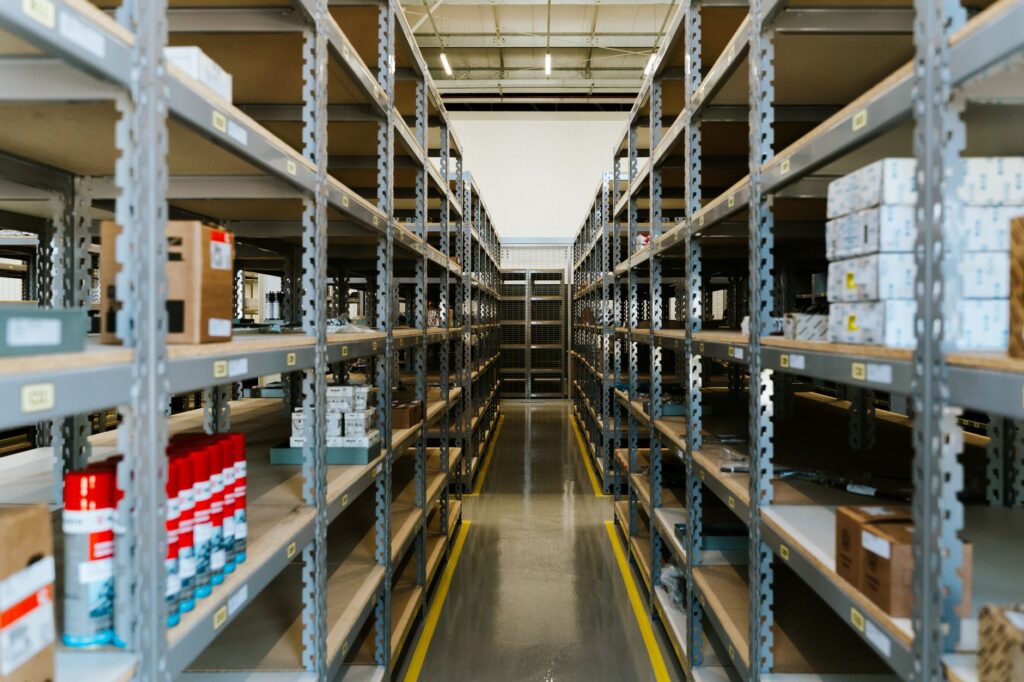
The **CJ Dropshipping Suite** is a powerful all-in-one tool for dropshippers, offering automated product sourcing, order fulfillment, and inventory management. It integrates seamlessly with platforms like Shopify and WooCommerce, providing real-time tracking, competitive pricing, and access to CJ’s global warehouse network. Ideal for scaling businesses, it streamlines operations with features like bulk ordering and supplier comparisons.
If you run a WooCommerce store and source products from CJ Dropshipping, manually copying SKUs, descriptions, images, and stock levels into your catalog is a slow, error-prone process. The best CJ Dropshipping Suite eliminates that work by importing CJ’s entire catalog as native WooCommerce products—including variations, attributes, and galleries—then keeps everything in sync and pushes orders automatically. Instead of paying for three separate plugins to handle import, sync, and order routing, you get one connector that does all three tasks efficiently.
This guide explains exactly how the CJ Dropshipping Suite works, what it automates, and why it’s the most reliable way to run a CJ-powered WooCommerce store without constant manual updates.
Table of Contents
Why automate CJ Dropshipping in WooCommerce
Running a dropshipping store with CJ means your catalog, pricing, and order flow are constantly changing. Without automation, you must manually pull new products, update prices, adjust stock, and forward orders to CJ—each step introducing the risk of typos, outdated data, or missed shipments. The best CJ Dropshipping Suite replaces those manual steps with scheduled, reliable processes that run in the background without timing out your server.
Automation also ensures your store always shows the latest CJ pricing and availability. If a CJ product’s price drops or stock runs out overnight, your store reflects the change the next time the sync runs, preventing overselling and customer complaints. Because the plugin uses WooCommerce’s Action Scheduler for batching, even a full catalog re-sync completes without crashing your site or exceeding PHP time limits.
When manual management costs more than the plugin
If you currently spend 10–15 hours per week updating products, correcting mismatched SKUs, or chasing down missing tracking numbers, the CJ Dropshipping Suite pays for itself in less than a month. Competitor integrations that bundle import, sync, and order routing typically start at $99/year, but most require separate plugins or custom development. The Suite consolidates everything into one install, reducing setup time and support tickets.
Who benefits most from automation
The Suite is ideal for stores with 50+ CJ products, frequent price changes, or high order volume. If you’re still using spreadsheets or copy-pasting product data, you’re likely losing sales to out-of-stock items or slow order fulfillment. With the Suite, your store stays current and orders route to CJ instantly, so you can focus on marketing and customer service instead of data entry.
Key features of the CJ Dropshipping Suite
The CJ Dropshipping Suite combines three functions—bulk import, scheduled sync, and order automation—into a single plugin. It imports CJ products as native WooCommerce items, including all variations, attributes, and image galleries, so your store displays the same product data CJ provides. Price and stock updates run on a schedule you control, and orders are pushed to CJ automatically at checkout with tracking numbers written back once the package ships.
Unlike generic CSV importers, the Suite maps CJ’s data directly to WooCommerce fields, preserving product relationships and avoiding duplicate entries. It also handles multi-vendor setups, so if you source from multiple CJ warehouses, each product syncs to the correct supplier automatically.
What’s included in the Suite
- Bulk product import: Pull CJ’s entire catalog or selected categories into WooCommerce as draft or published products.
- Variations and attributes: Imports all CJ product options (size, color, material) as WooCommerce variations with correct pricing and stock.
- Image galleries: Downloads CJ’s product images and attaches them to the WooCommerce gallery, preserving order and alt text.
- Scheduled sync: Runs price and stock updates via Action Scheduler in batches, so a 5,000-product catalog syncs without timing out.
- Order automation: Forwards new orders to CJ immediately and writes tracking numbers back to WooCommerce once dispatched.
How it compares to standalone CJ plugins
Most CJ integrations sell import, sync, and order routing as separate products, forcing you to buy and configure three plugins. The best CJ Dropshipping Suite bundles these features so you install one plugin instead of three, reducing setup time and potential conflicts. It also avoids the common pitfall of sync plugins that run long, unbatched queries and crash your site during peak traffic.
How bulk product import works in WooCommerce
Importing CJ products into WooCommerce starts with a one-click fetch from your CJ dashboard. You can choose to import the entire catalog or filter by category, supplier, or keyword. The Suite then creates WooCommerce products in draft status, preserving all CJ data: title, description, SKU, price, variations, attributes, and images. You review the drafts, make any edits, and publish only the products you want to sell.
Because the import runs via the CJ API, it pulls real-time data, so you’re not working with stale spreadsheets or outdated listings. If a product is discontinued on CJ, it won’t appear in your import unless you specifically enable archived items.
Mapping CJ data to WooCommerce fields
The Suite automatically maps CJ fields to WooCommerce equivalents:
- CJ product title → WooCommerce product title
- CJ SKU → WooCommerce SKU
- CJ description → WooCommerce short and long description
- CJ images → WooCommerce product gallery
- CJ variations → WooCommerce variable products with correct pricing and stock
You can override any mapping in the plugin settings, which is useful if you want to add custom attributes or reformat descriptions for SEO.
Controlling which products import
You can filter imports by:
- CJ category or subcategory
- Supplier warehouse
- Price range
- Stock availability
- Published status on CJ (active vs. archived)
This lets you import only the products you plan to sell, reducing clutter in your catalog and speeding up future syncs.
Price and stock synchronization explained
After import, the CJ Dropshipping Suite keeps your store in sync with CJ using scheduled batch updates. Instead of running a single long query that times out, the Suite uses WooCommerce’s Action Scheduler to process products in chunks of 50–200 at a time. You set the sync frequency—hourly, twice daily, or daily—and the plugin runs in the background without affecting store performance.
Price and stock updates are pulled directly from CJ’s API, so your store always reflects the latest data. If CJ raises a price or runs out of stock, your listing updates automatically the next time the sync runs. You can also set price markups or discounts globally or per product, so you control your margins without editing each listing manually.
How batching prevents timeouts
Most sync plugins fail on large catalogs because they try to update every product in one request. The Suite avoids this by:
- Using Action Scheduler to split updates into smaller batches
- Resuming failed batches automatically
- Logging errors so you can review mismatches
This approach handles catalogs of 10,000+ products without crashing your server or exceeding PHP memory limits.
Setting custom sync rules
You can configure:
- Sync frequency (hourly, 2x daily, daily)
- Price adjustment rules (fixed amount, percentage, or per-product overrides)
- Stock threshold alerts (notify when CJ stock falls below X units)
- Excluded SKUs (skip specific products from sync)
These rules apply globally, so you don’t have to edit each product individually.
Order automation and tracking updates
When a customer checks out, the CJ Dropshipping Suite automatically forwards the order to CJ with all required fields: product SKUs, quantities, customer address, and any custom notes. CJ processes the order and ships the package, then sends a tracking number back to your WooCommerce order. The Suite writes the tracking number to the order and optionally sends a notification email to the customer with a link to track the shipment.
This eliminates the need to manually copy order details into CJ’s dashboard or chase down tracking numbers. Orders route instantly, so CJ can fulfill them the same day, improving your store’s reliability and customer satisfaction.
How order data maps to CJ
The Suite sends:
- Order items with CJ SKUs and quantities
- Customer billing and shipping address
- Any custom order notes you include
- Payment method (if required by CJ)
CJ returns the tracking number, carrier, and service, which the Suite writes back to the WooCommerce order. You can customize the tracking email template to include your branding and support links.
Handling split shipments and partial fulfillment
If CJ ships an order in multiple packages, the Suite writes each tracking number to the order, so customers see all shipments in one place. You can also choose to send separate tracking emails for each package or a consolidated email once all items ship.
Pros
- All-in-one automation: Handles import, sync, and order routing in one plugin, saving setup time and reducing plugin conflicts.
- Batched sync for large catalogs: Uses Action Scheduler to update 10,000+ products without timing out your server.
- Native WooCommerce products: Imports CJ products as variable products with correct attributes, galleries, and descriptions, so your store displays accurate data.
- Real-time price and stock updates: Pulls the latest CJ data on your schedule, preventing overselling and pricing errors.
- Automatic order forwarding and tracking: Routes orders to CJ instantly and writes tracking numbers back to WooCommerce, eliminating manual data entry.
Cons
- Requires CJ API access: You must have an active CJ Dropshipping account with API permissions enabled; the plugin won’t work without it.
- Initial setup time: Importing and reviewing 500+ products can take a few hours, especially if you customize attributes or descriptions.
- No built-in profit calculator: The Suite doesn’t include margin analysis tools; you’ll need a separate plugin or spreadsheet for profit tracking.
- Limited to CJ Dropshipping: If you switch suppliers, you’ll need a different integration or custom development.
- No bulk editing in the plugin: While you can override mappings and set global rules, bulk editing individual products requires WooCommerce’s native tools.

Frequently Asked Questions
Does the CJ Dropshipping Suite work with any WooCommerce theme?
Yes. The Suite imports products as native WooCommerce items, so they display correctly in any theme that follows WooCommerce standards. If your theme overrides product templates, you may need to adjust CSS or template overrides to match your design.
Can I import only specific CJ categories?
Yes. In the import settings, you can filter by CJ category, subcategory, supplier, or keyword. This lets you import only the products you plan to sell, reducing catalog clutter and speeding up syncs.
How often should I run price and stock syncs?
For most stores, twice daily is sufficient. If you have high order volume or frequent price changes, hourly syncs ensure your store always shows the latest data. You can adjust the frequency in the plugin settings.
What happens if a sync fails?
The Suite logs errors and retries failed batches automatically. You can review the error log in the plugin dashboard to see which products didn’t sync and why. Common issues include SKU mismatches or API timeouts, which you can resolve by adjusting sync settings or contacting CJ support.
Can I use the Suite with other dropshipping plugins?
No. The Suite is designed specifically for CJ Dropshipping and won’t work with other suppliers. If you switch suppliers, you’ll need to disable the Suite and install a compatible integration.

Related Products You May Like